

2026 MAZDA CX-5 Technology Highlight:
Google Built-In
The 2026 Mazda CX-5 introduces Google Built-In tech to make everyday driving more connected, convenient, and easier to manage. Drivers can use Google Assistant for voice commands, access Google Maps navigation, and enjoy compatible apps directly through the vehicle's infotainment system. Some Google Built-In features work immediately, while others require a data connection, Wi-Fi, a smartphone hotspot, or a linked Google account to unlock their full functionality. Understanding those differences helps you get the most from your vehicle from day one.
One of the most common questions we hear at Mazda of Port Charlotte is whether Google Built-In works the moment you drive home in your new CX-5. The answer is yes, for many features. Others require an internet connection, Wi-Fi, a smartphone hotspot, or a linked Google account to unlock additional connected features. That's why our team helps every customer understand the differences and assists with setup during delivery, so you can leave confident using your new technology instead of figuring it out later. If you're shopping for a 2026 Mazda CX-5 in Port Charlotte, knowing what works immediately and what requires a few extra steps can help you get the most from your SUV from day one.
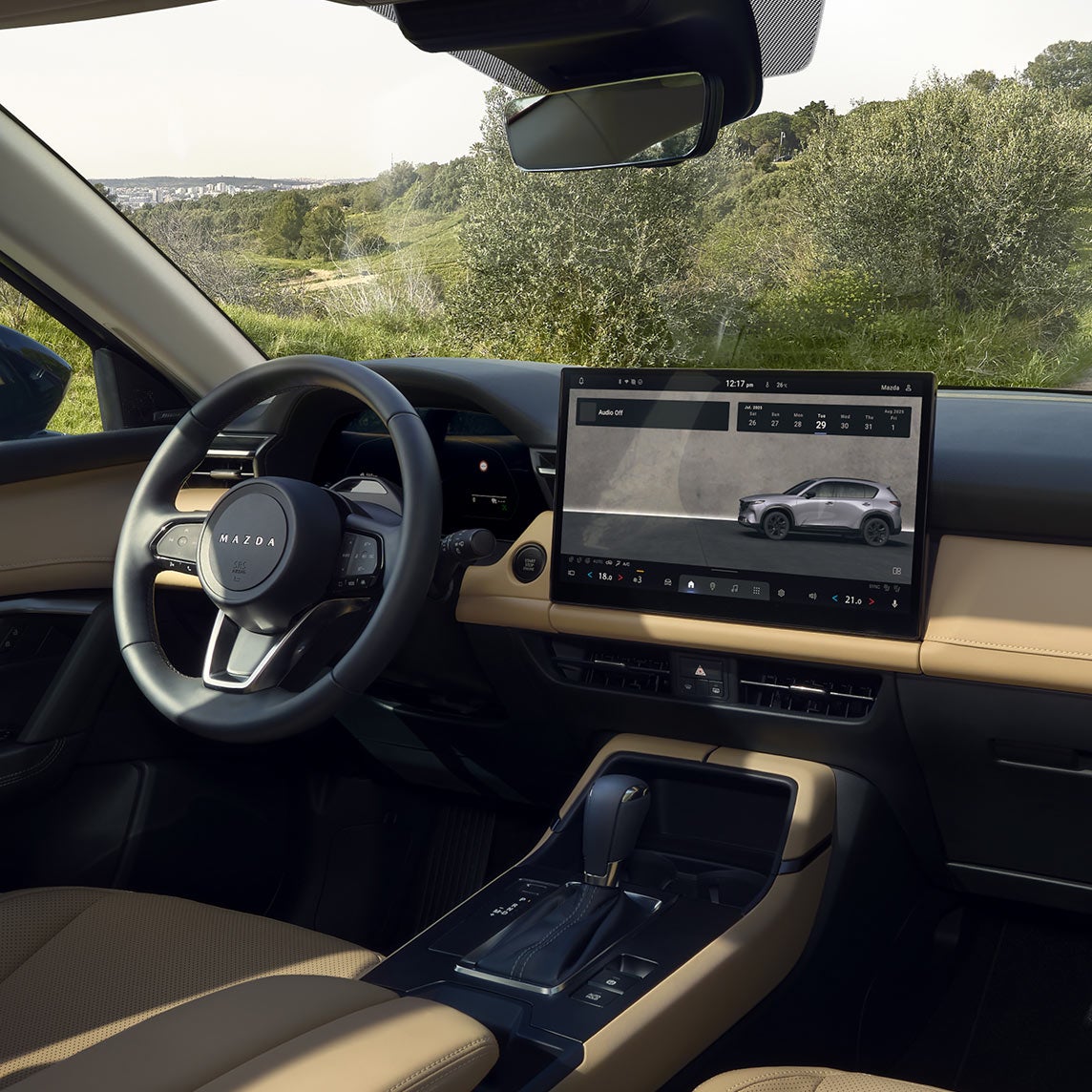
WHAT IS GOOGLE BUILT-IN?
Google Built-In is an integrated suite of Google services that works directly through your Mazda infotainment system. Unlike smartphone projection alone, many Google features operate natively within the vehicle, giving drivers quick access to navigation, voice controls, entertainment, and connected services without relying entirely on their phone.
The goal is simple: make common driving tasks easier through natural voice commands and familiar Google experiences. Whether you're adjusting cabin settings, finding directions, or asking questions, the system is designed to reduce distractions and keep your focus on the road.
For many buyers, this is one of the most exciting Mazda technology features available in the new CX-5 because it blends convenience with an intuitive interface that many drivers already know from their phones and smart home devices.
WHAT CAN YOU DO WITH GOOGLE BUILT-IN TECH?
The Google Built-In tech in the 2026 CX-5 supports a wide variety of everyday functions. Depending on your setup, you can:
-

- Use Google Assistant with natural voice commands
-

- Search destinations with Google Maps
-

- Navigate to saved locations
-

- Access compatible streaming apps
-

- Control many vehicle functions using your voice
-

- View real-time traffic information
-

- Access Google-based personal services such as calendars and shopping lists when signed in
Many of these features feel familiar because they use the same Google ecosystem millions of drivers already know. Whether you want hands-free voice controls for everyday driving or personalized navigation, streaming entertainment, and synced Google services, Google Built-In lets you decide how connected you want your 2026 Mazda CX-5 to be.
WHICH GOOGLE BUILT-IN FEATURES WORK WITHOUT DATA?
One of the questions our team answers most often at Mazda of Port Charlotte is whether Google Built-In requires an internet connection every time you drive.
The answer is no. Many of the features customers use every day work without a live data connection once Google Assistant has been enabled and the required language pack has been downloaded.
Examples include:
- "Hey Google" voice activation
- Opening vehicle settings
- Asking vehicle-related questions, such as the remaining fuel range
- Turning climate control on or off
- Adjusting cabin temperature
- Changing fan speed
- Activating front and rear defrosters
- Operating heated seats
- Operating ventilated seats
- Operating the heated steering wheel
These features allow owners to enjoy many of the convenience benefits of Google Built-In tech without needing an active internet connection during every drive. That means your daily commute remains simple, even when you're traveling through areas with limited cellular coverage.
WHICH FEATURES REQUIRE DATA OR A GOOGLE ACCOUNT?
Some of Google's most advanced capabilities depend on connected services.
Features that generally require mobile data, Wi-Fi, a smartphone hotspot, or a Google Built-In include:
- Google Maps navigation to addresses
- Navigation to points of interest
- Real-time traffic updates
- Navigation to your saved Home location
- Navigation to Google Favorites
- Streaming services like Spotify, YouTube, and Prime Video
- SiriusXM with an active subscription
- Wireless Apple CarPlay or Android Auto using your smartphone's data connection
- Google Assistant questions, such as weather forecasts
- Personal Google services like calendars and shopping lists linked to your Google account
WHAT SHOULD YOU HAVE READY FOR SETUP?
The setup process for the 2026 Mazda CX-5 is straightforward. To make setup faster during delivery, we recommend having the following items ready:
- Your Google account username and password
- Your smartphone
- Your preferred Wi-Fi network information or smartphone hotspot, if available
- Your preferred navigation addresses, such as Home and Work
- Login information for compatible streaming services you plan to use
While these items are helpful, they are not required to start enjoying every feature. Many voice-controlled vehicle functions and comfort settings are available immediately after the initial Google Assistant setup, even without an active data connection. The language pack simply needs to be downloaded, and Google Assistant enabled through the vehicle settings.
These services rely on up-to-date information from Google's cloud, so an active connection helps deliver accurate directions, live traffic updates, personalized recommendations, and synchronized account information. While many everyday vehicle functions work without signing in, personalized Google services, including saved destinations, calendars, shopping lists, and other account-based features, require a linked Google account.
HOW MAZDA OF PORT CHARLOTTE HELPS DURING DELIVERY
Technology should make driving easier, not more confusing.
That's why every customer who purchases a 2026 Mazda CX-5 in Port Charlotte receives a personalized technology walkthrough from the team at Mazda of Port Charlotte.
During delivery, our product specialists can help you:
- Pair your smartphone
- Sign in to your Google account, if you choose
- Enable Google Assistant
- Download the required language pack
- Connect to Wi-Fi or your smartphone hotspot
- Demonstrate which features work immediately
- Explain which features require a data connection
- Show you how to customize settings and preferences
- Answer questions before you leave the dealership
Our goal is simple: help you understand which Google Built-In features work immediately, explain those that require additional setup, and configure as many connected services as possible before you drive home. We'll answer your questions, demonstrate the features you'll use most often, and make sure you leave feeling confident using your new CX-5 instead of learning everything later on your own.
EXPERIENCE THE 2026 MAZDA CX-5 TECHNOLOGY AT MAZDA OF PORT CHARLOTTE
The biggest takeaway is simple: some Google Built-In features work immediately, while others require data or your Google account. Mazda of Port Charlotte will help you understand the difference and get as much set up as possible before you drive home. That way, you can spend less time learning the technology and more time enjoying your new CX-5.
Have questions about Google Built-In? Visit Mazda of Port Charlotte to experience the technology for yourself or start browsing online. Our team will answer your questions, explain which features work immediately, help configure connected services during delivery, and make sure you're ready to enjoy your new 2026 Mazda CX-5 from the moment you drive home.